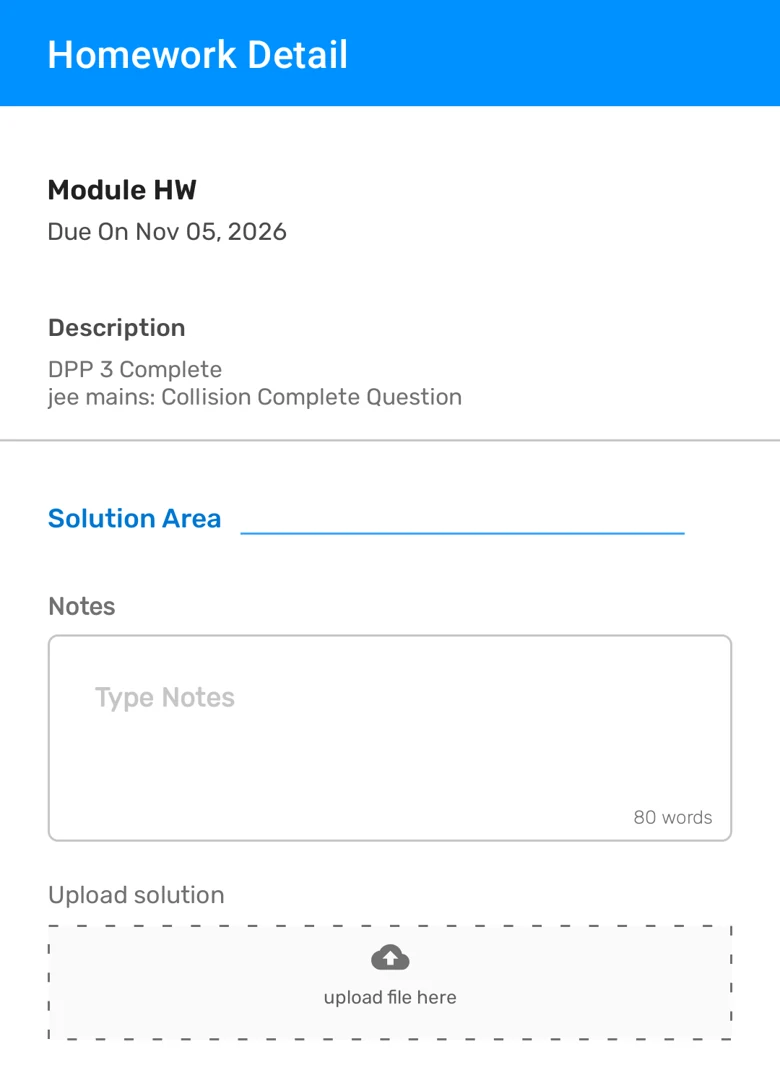
See the task. Submit the work.
Open the task, attempt it and upload your solution. Your teacher can help with the step you found difficult.
 ARMSACADEMYAdmission guidance ↗
TECHNOLOGY & LEARNING AT ARMS
See your timetable, homework, attendance and test answers in the ARMS app. Teachers and mentors use those records to discuss what you should practise.
Timetable · weekly schedule · announcements
Classes, resources, homework, doubts
Tests, question analysis, feedback
Use your report to discuss missed questions and practice.
01 / THE LEARNING DAY
Open the app to check your timetable and upcoming topics. After class, return to the topic view for available notes and lessons.
Check class times and announcements for the week.
See the class you attended and its attendance record.
Return to available lessons, notes and videos for that topic.
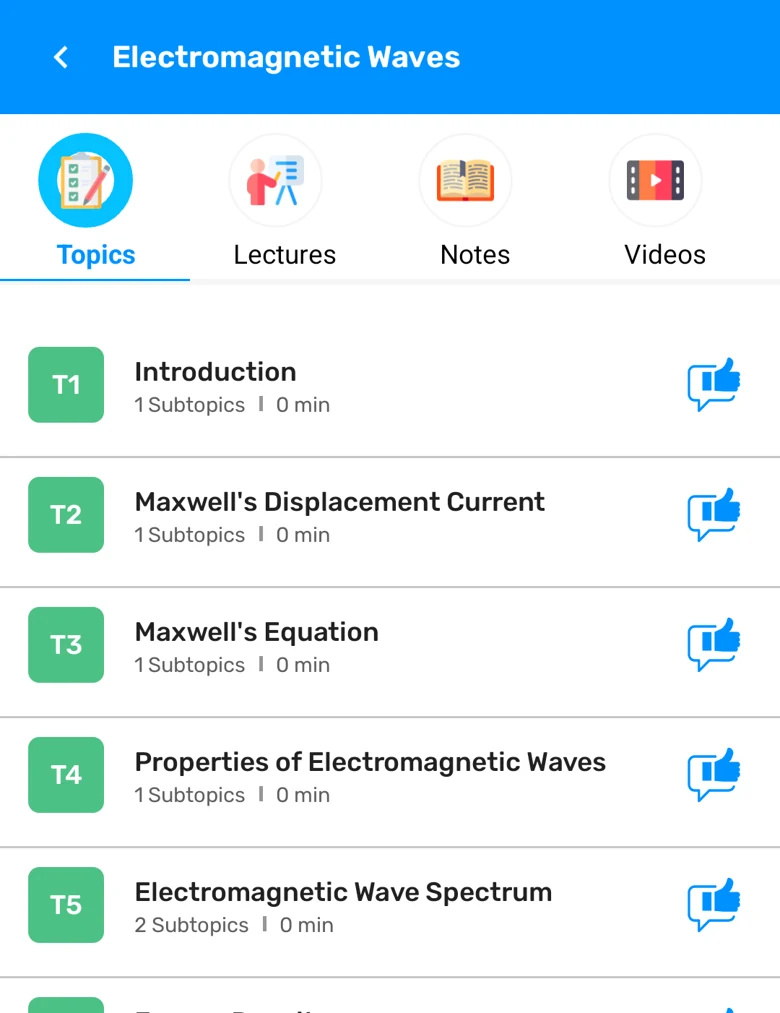 See the topic view ↗
Missed part of an explanation? Find the chapter in the app. Open its available lecture, notes or video before you try the assignment.
If your course has a recording, replay the step you missed. Use the notes or video to prepare for the next assignment.
Find the topic and its resources before you start your homework.
02 / PRACTICE & DOUBTS
Homework shows you where you get stuck. Upload your attempt, then raise the exact step you could not solve.
Open the task, attempt it and upload your solution. Your teacher can help with the step you found difficult.
Ask a question by text or video when you get stuck after class. You can also discuss it with your teacher.
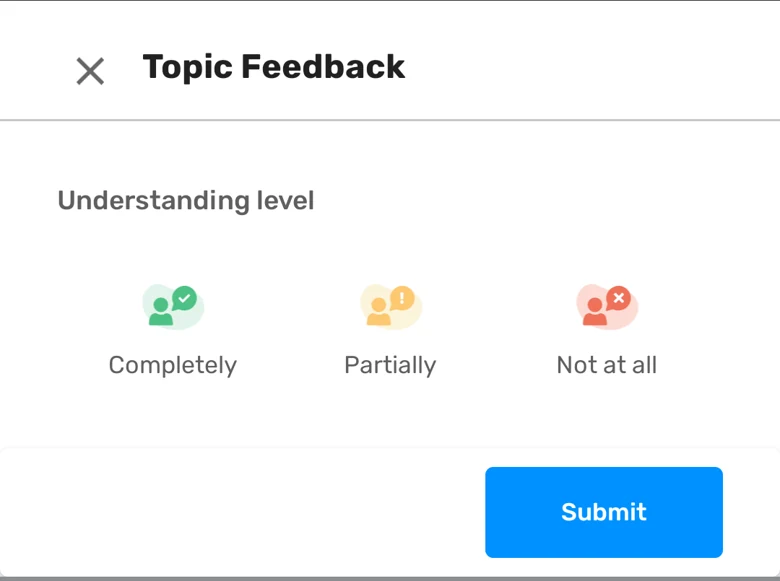
Mark a topic as fully, partly or not understood. Your teacher can start with the part you missed.
If you get stuck on homework, upload your attempt and send the question. Mark the topic as partly understood so your teacher knows where to start.
03 / TEST & ANALYSIS
Open the test view to see your marks, answers and solutions. Check which questions took too long. Bring the difficult ones to your teacher.
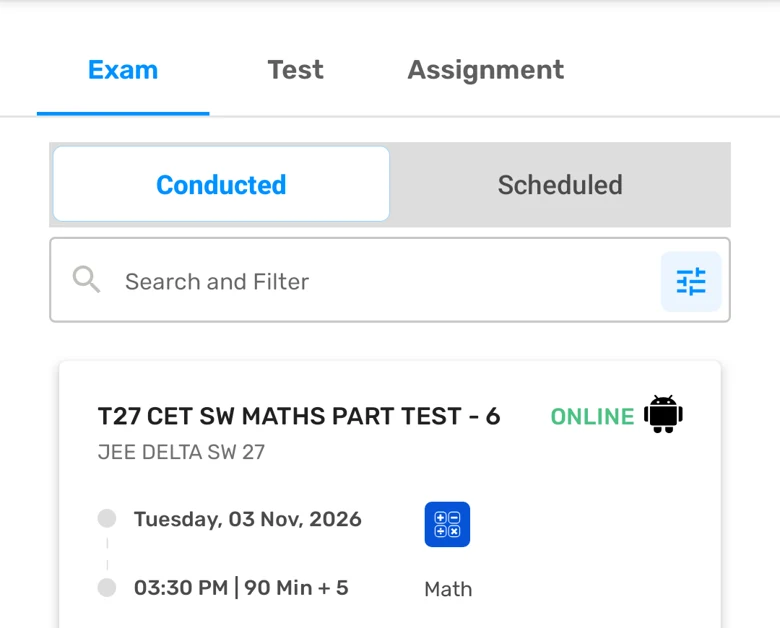 Test view ↗
Review the response beside the solution to find the missed step, misconception or calculation.
Compare your time with the average. A slow correct answer may need speed practice. A fast wrong answer may need another look at the concept.
Check subject marks and the class comparison. Pick a chapter to revise and test it again.
Open the missed question → read the solution → practise that topic → ask your teacher about the step you still cannot solve.
Students mark attendance with a fingerprint when they enter the centre.
Parents get a message on their phone when the student is marked present.
If a class is missed, you know the same day.
JEE Main and MHT-CET practice tests run on a computer screen with a timer.
Marks come as soon as the test ends.
Students see their rank and percentile across all ARMS centres.
They can see which questions took too long.
Every test has a report card you can open and download.
For written tests, the checked answer sheet is in the app with marks for each question.
Students can see where marks were lost and fix it before the next test.
After every lecture, the teacher notes the topic covered.
They also note the homework given and the material shared.
Parents can open the day’s entry on their phone and see what was studied.
Students get chapter-wise practice sets and previous years’ questions sorted by chapter.
Short revision sets help before each test.
They practise the chapter they just learned, not a random mix.
Each batch has a mentor who follows tests, attendance and homework.
Parents meet the mentor after major tests.
Questions do not wait for the end of the year.
04 / MONITORING & REPORTS
The monthly report shows attendance, homework, class participation and topic feedback. Use it with your mentor to discuss work between tests.
Was the student present for the relevant classes? Did they attend offline, online or through a recording? Which topics were recently covered? Is a chapter marked fully understood, partially understood or still pending? Were lecture feedback and teacher remarks recorded?
The report groups these details by month and subject. Its overview includes attendance, sessions, homework and doubts; the subject pages add session types, recent topics, chapter understanding and lecture feedback. You can see whether missed classes or unfinished homework recur across the month.
Instead of asking only “How was the test?”, a parent can ask “Which chapter felt partial?” or “What should we revisit after those missed sessions?”
Calendar · present · absent · leave
Offline · online · recorded sessions
Homework · doubts asked
Recent topics · chapter feedback
Lecture ratings · teacher remarks
Detail for each subject studied
05 / THE HUMAN FOLLOW UP
The app shows attendance, homework and test answers. Your teacher can explain a missed question. Your mentor can follow repeated gaps across tests.
Show the question or homework step you could not solve.
Go through the answer and the step that went wrong. Choose another question to practise.
Check attendance, class participation and topic feedback with the mentor.
BUILT AROUND REAL PREPARATION
Senior students can review NEET, JEE or MHT-CET questions after tests. Junior students can follow school topics and homework. Teachers and mentors use the same records to discuss progress.
STUDENT AND PARENT EXPERIENCES
Experiences shared by families at our Swargate centre in Pune. Choose a video to play it on YouTube.
Student · learning support
A student discusses the learning environment, mentoring and tracking performance in the app.
Swargate, Pune
QUESTIONS, ANSWERED
See the app screens available for your course with the ARMS team.
You can check timetables, taught topics, homework, tests and attendance. The app also has learning resources and feedback. Your centre can show the screens used for your course.
Check the missed session in attendance. If a recording is available, replay the lesson. You can also use topic resources and ask your teacher about the part you missed.
Yes. Raise a question by text or video. You can also use topic resources and assignment discussions.
Yes. The monthly report shows attendance, homework, doubts and recent topics. It also shows chapter understanding, session participation, lecture feedback and teacher remarks.
The app shows taught topics, homework attempts and test answers. Review a missed question with your teacher, then practise that chapter again.
TAKE A CLOSER LOOK
See the app screens and a sample report. Ask how teachers and mentors use them in your course.
TALK TO ARMS
Tell us your class, centre and exam goal. We can explain the courses, fees and batches available.